You have a profile e.g. “CC200755.0″ obtained via the Tekla API. How can you extract it’s HEIGHT or WIDTH or other parameters (or properties) such as density? The Tekla Documentation is not good on this point, and it took me some time to find this out. I have documented the methodology, so hopefully that will save you some time.
In our use case, users select a profile via text (or rather via a CLI). How we need to build a shed from it. In order to build that shed, we need to know the specific properties of the profile that is selected. How do you do that via the Tekla Open API?
Go 10km forward, and then 5 km left, and then 2 km right.
Walk forward 10 steps, and now
dig.
This is great from my current location. But how will you get there from YOUR location? Without changing the location of the treasure, I can tell you how to get there, from your location by aligning coordinate systems.
But it can be confusing. Here’s how I think about it intuitively. Forget the maths, just think about it intuitively.
Consider both examples:
If you think about it that way, it will be much harder to get confused.
Normally in Tekla, if we want to copy objects or components from one object to another, we have to follow these steps :
Select the objects and components you want to copy.
Execute the “Copy to Another Object” command.
Choose the source object.
Select the destination object.
The objects will be copied by reference, aligning their coordination system with that of the source object to the destination object’s coordination system.
Please note that the coordination system is used to ensure the accurate positioning of the copied objects in relation to the source and destination objects.
Macro: Copy to another object multiple
The command “Copy to Another Object” poses an issue when used in Tekla. It does not allow the selection of multiple destination objects at once; instead, we can only choose them one by one. This limitation can be time-consuming, particularly when working on large projects.
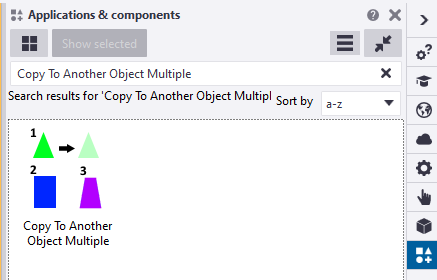
Tekla offers a macro called “Copy to Another Object Multiple” that fulfills the requirement of selecting multiple destination objects. This macro functions similarly to the command mentioned earlier. First, we need to select the objects before running the macro. Once the macro is executed, it prompts us to select an object. Then, we select one source part, after which we can conveniently use drag selection to choose multiple destination objects. Finally, press the mouse middle button.
the snapshot was taken on Tekla version 2022
You can find this macro in the Applications & Components catalog of Tekla Structures.
Introducing a New Approach: The Modified Implementation for Copying Objects in Tekla
The ‘Copy to Another Object‘ command works by copying objects in relation to the source object and pasting them according to the destination objects
The coordination system plays a crucial role in defining the position and rotation of a part in Tekla
It is primarily based on the start handle of the part
Altering the coordination system of a part is not possible
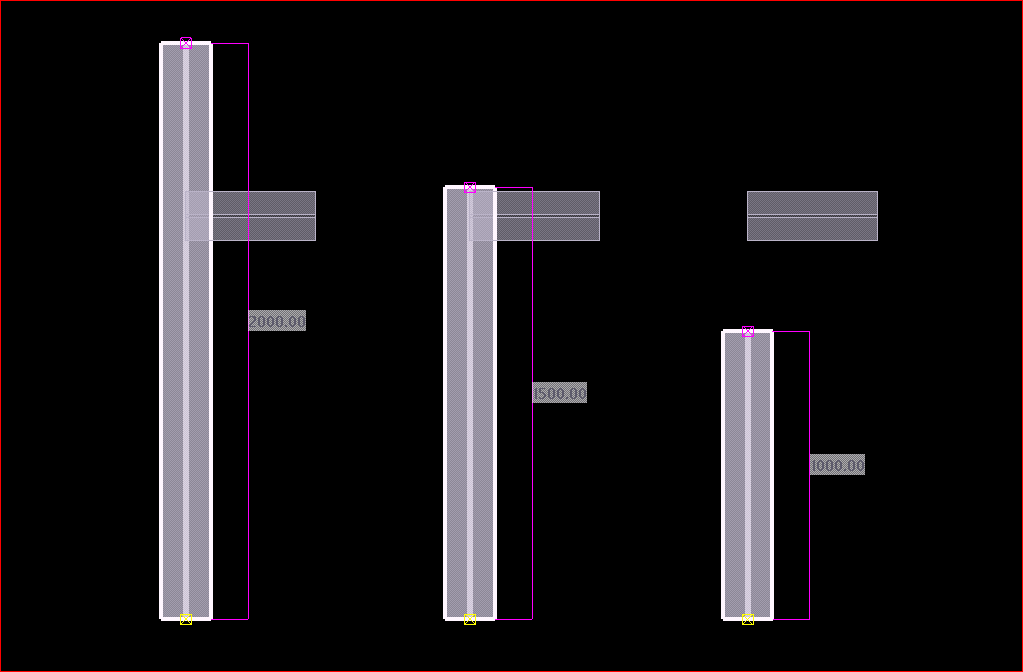
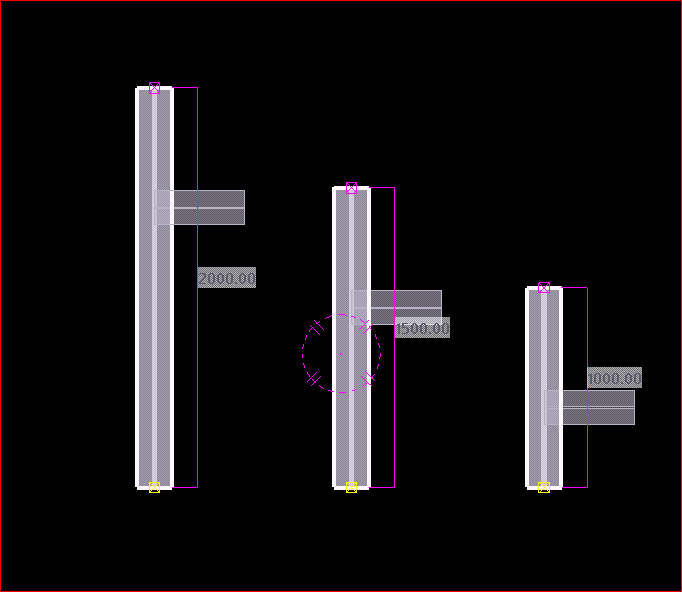
If the destination object’s lengths differ from the source object, a problem arises where the objects are positioned based on the start point
After copying the small beam to other destination objects of varying lengths
In many situations, we often find ourselves having to manually utilize the ‘Copy Linear’ or ‘Move Linear’ commands to perform copying tasks.
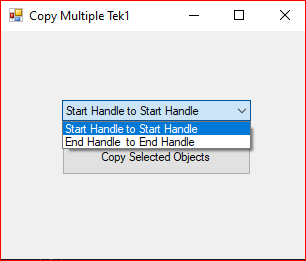
We utilized the Tekla API to Create a new macro that helps to copy objects in relation to the end handle of the part. When executing this macro, it prompts the user to select the desired handling method for copying objects
This is the dialog box that appears while running the modified “Copy Multiple Tek1” macro.
When the “End Handle to End Handle Copy” option is selected, the operation produces an outcome that is similar to the image shown.
members of the Tek1 organization can download the tsep installer file of the above macro by clicking the download button