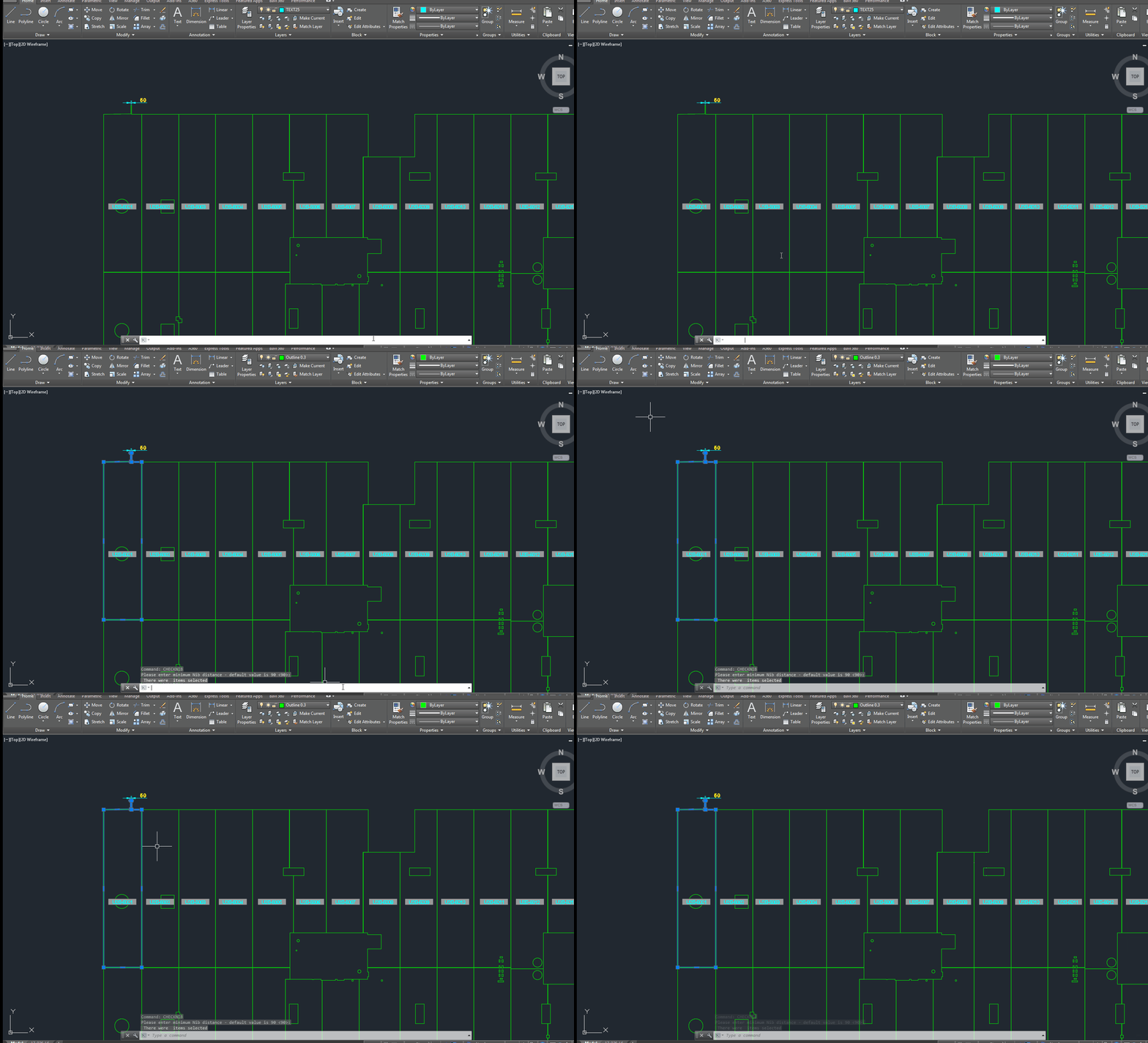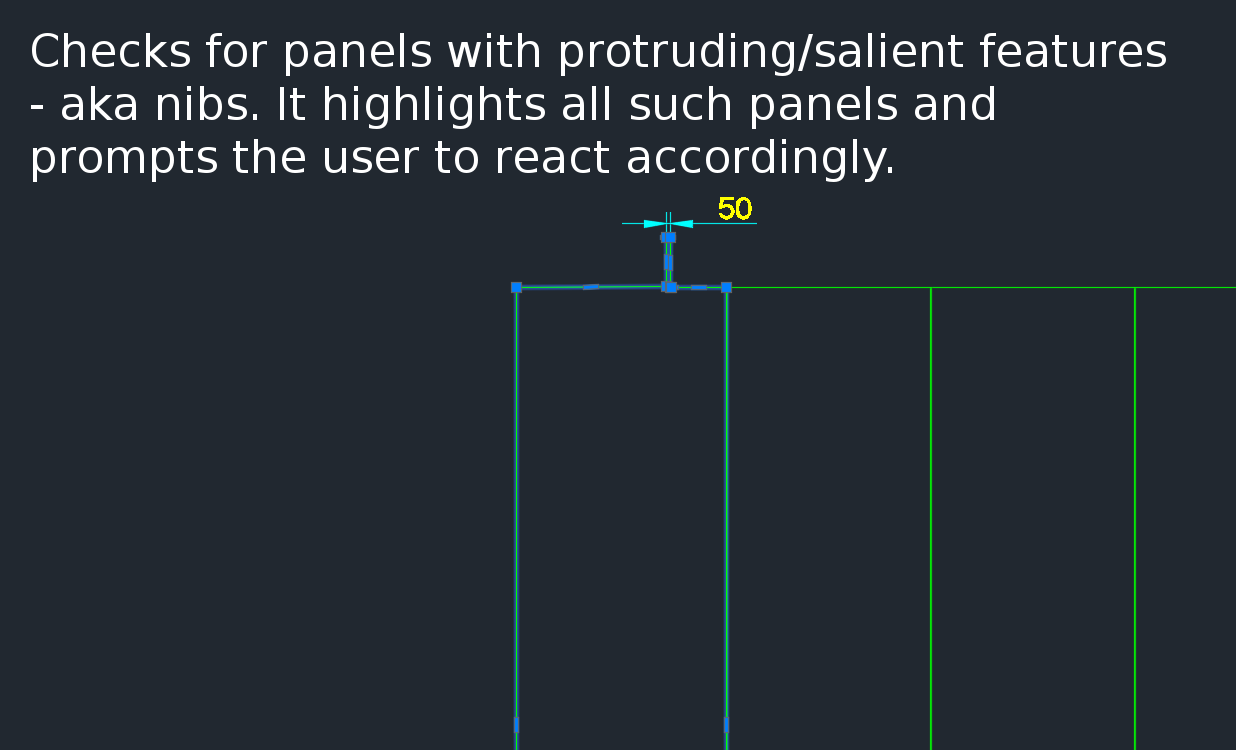
A gif showing how easy it is to check for nibs on bubble deck slabs using my command. There are certain panels which we have that have protruding elements – salient features. These can be problematic if they go to production unnoticed. Given there are entire teams of people doing things, it can be hard to track – people forget that they cannot draw a panel with such a dimension.
This is a plug in which enables one to easily identify all such panels with nibs like this:
There is a need to identify panels with protruding features because they could be problematic if fabricated.
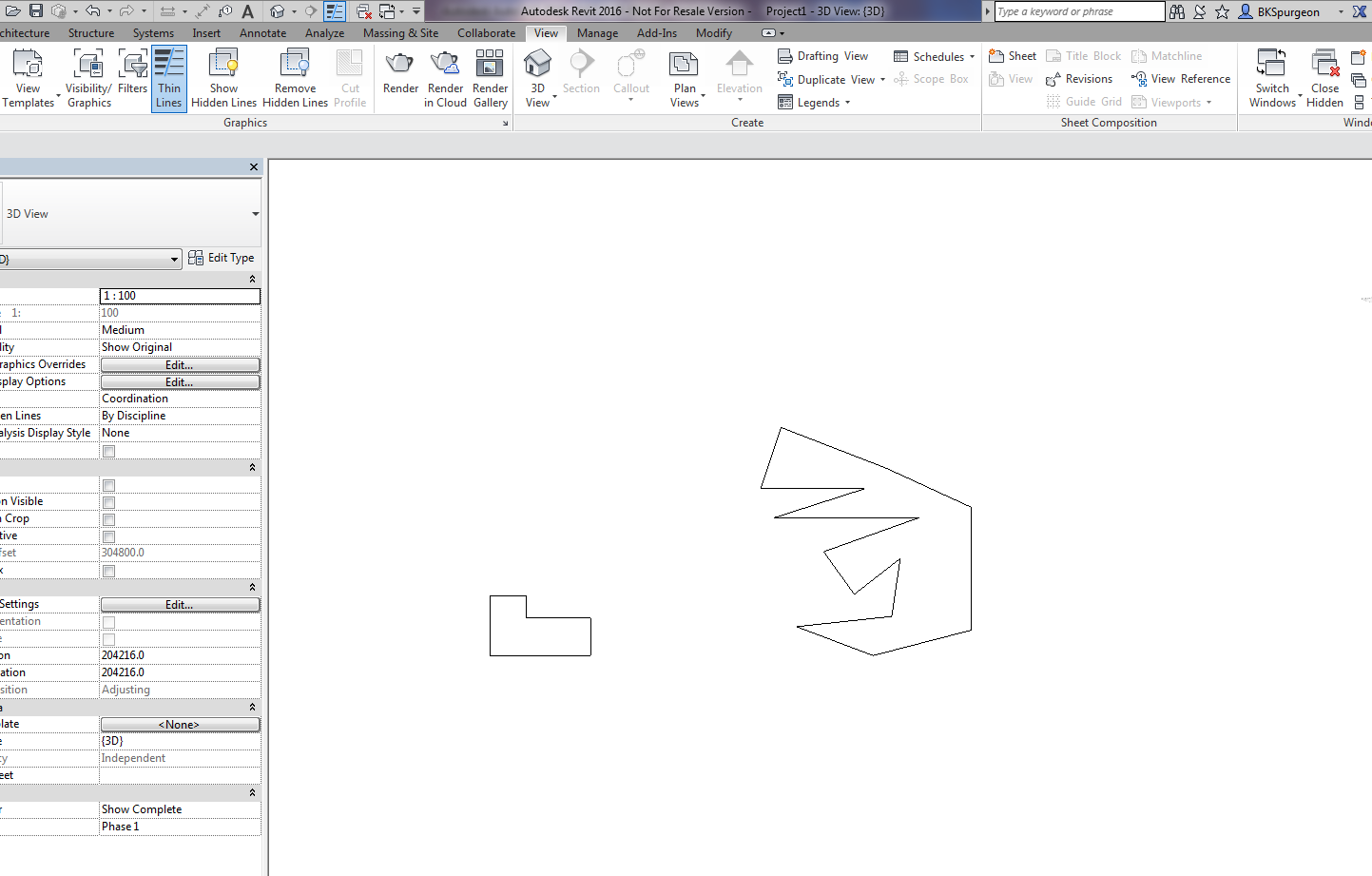
Demonstrates the ability to transform 2D AutoCAD files into a native Revit format.
This is a demo of my latest plug-in which demonstrates a proof of concept – i.e. a MVP (Minimum Viable Product). The programming was a little trickier than normal – because we are not using the .NET API, but the COM Interop API and the Revit API – something which I have not really explored prior to this post.
What does it do?
If you have drawn some panels in AutoCAD, this plugin allows you to quickly and accurately convert those panels into Native Revit walls. You can then give Architects and builders those Revit files – otherwise it will be very difficult for them to work with AutoCAD files.
This gives you a competitive advantage over your competition, because you can quickly and easily do it – and it makes the job of architects and builders easier – especially given the rapid push everyone’s making into BIM technologies.
(I’ve made the command so that it works even when you have AutoCAD open. This allows detailers to quickly switch to Revit and AutoCAD and to delete and restart if need be. Also requiring that AutoCAD be open ensure that detailers know exactly what file they are working with and what files they are converting. It eliminates a whole lot of errors.)
This is a beautiful little plug-in – it allows you to dimension a curve – a complex curve with a jig. It allows the user to choose the types of dimensions that he wants. It’s pretty cool.
Tekla licenses are pricey. About $30k + maintenance per license. What if I told you that you needed 30-50% less licenses than you currently hold. That’s a huge cost saving, isn’t it?
If you only need 5 licenses (as opposed to 10), then you’ve saved $150k instantly, plus maintenance.
AutoCAD licenses are significantly cheaper.
But if only the work you did in AutoCAD could be transferred into Tekla? That would save you some licenses. That’s just what I’ve done here in my latest project. Now a significant portion of any modelling job can be done in AutoCAD and simply imported into Tekla.
Interoperability will also help improve the quality of your work: it’s tough finding people who are highly skilled in Tekla. What if I told you that you could use an AutoCAD draftsperson instead of someone well versed in Tekla, to do the same job? Now you have a potentially infinite pool of candidates to draw from.
I’d love to be able to help. Just call or email us.
How to Download Tekla Catalogues (or Catalogs):
You need to download the catalogue because the interop DLL connects to the catalog. Without it, we cannot verify that your profiles actually exist in Tekla.
If you can build something quicker, than translates into making money quicker. There’s a premium on speed.
Less manpower
Less manpower on site. That means less potential problems to deal with. Which eventually translates into money. Generally speaking, the problems and costs associated with a project are proportional to the number of people involved in it.
Structural Benefits
Bubble deck slabs, because they are filled with air, are significantly lighter. Also you can have wider spans – without as much column support. This is very desirable from an architect’s point of view.
Cost of manufacturing
The BubbleDeckGroup tout it as being cheaper to manufacture. Personally, I’m sceptical of this claim. I think it’s the same, if not more.
Environmentally Friendly?
They also say it’s more environmentally friendly. It probably is relative to other solutions, but I don’t think it’s actually helping the environment. It’s sort of like the marketing on a cigarette packet saying that it’s “healthier” than other cigarettes. It is probably healthier, but cigarettes as a whole, generally speaking are not healthy.
What are the costs?
Everything has to be designed correctly and properly early on. This is not necessarily a bad thing. It forces designers to plan and think things out, before the actual construction. But if the design team does a bad job, you can be sure that the entire project is going to be delayed, and is going to be monumentally expensive.
It’s got nothing to do with being over taken on the F1 track. Lapping refers to the “overlapping” of reinforcement with another section of reinforcement.
Why do we lap?
It gives greater structural integrity to the structure you are fabricating. What does this mean? It means that when you lap, your concrete will be stronger, and will be better able to withstand loads/weights. In other words, a lapped structure will be more sturdy that unlapped structures.
AS 2870 requires that we lap.
Lapping Requirements?
Trench Mesh Laps
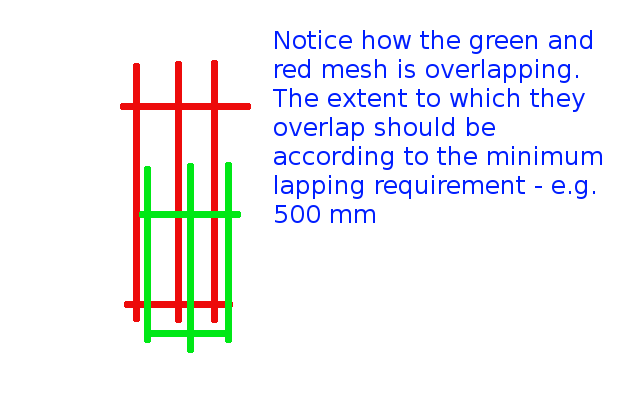
If they are overlapping at T or L intersections, then overlap the full width of the mesh.
When end to end, they need to be at least 500 mm.
Please see below:
Demonstrates the concept of lapping.
Square mesh lap
These need to be lapped by 225 mm minimally.
Very similar to the above – please refer to that diagram.
Reinforcing Bar Laps
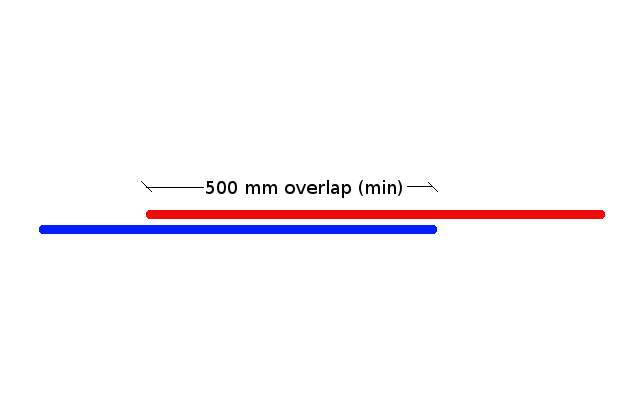
Lapping needs to be at minimally: 500 mm.
Please see below:
Shows the minimal lapping required for reinforcing bar laps.
I hope this helps you. Any questions? Feel free to ask. I may even write up another post if the question is good enough.
This post attempts to explain the following two questions, for those starting to learn the precast trade:
A lot of fancy words are thrown around. Near face. Far face. And mould face. What does it all mean?
How should shop drawings be marked vis-a-vis the mould face, and why should they be marked as such?
What is a precast panel?
These my friends are precast panels:
What panels look like.
You can build things quickly and cheaply, if you build with precast panels. Your other option is to fabricate on site. The problem with this is that it: (i) is more expensive, and (ii) the construction is a lot slower.
What is the mould face?
First you have to understand how the panels are “fabricated” (i.e. how they are made). Concrete is poured into a mould, on a table. It looks something like this:
Showing a panel on a table, in its mould.
So then what is the near face / far face / mould face?
The near face is the side of the panel which is exposed to the air. This is the face of the panel which you can see.
The far face (or mould face), is the face of the panel which is lying on the table.
What is the significance of the mould face?
The mould face has a smooth finish (or should have one).
You do not want a building which has the ugly face of a panel exposed for everyone to see. The architect will be baying for your blood, and moreover it is a very costly remedy. Some precasters, in order to avoid this problem, “trowel” the near face (i.e. the face which is exposed to the air). “Trowelling” is when you smooth the surface of the panel with a tool so that it looks nice.
When you draw a panel, you want to indicate on your drawings that the mould face is on the building exterior.
Why? So that the smooth side is seen by people and the ugly side is hidden from view.
“But won’t people on the inside of the building also see the ugly side of the panel?” you ask. Not necessarily. Most of the time, the panel is not visible on the inside of the building because the architect will put up plaster or there will be something hiding the panel from view.
Standard Shop Drawing Practices
People draw elevations assuming they are looking at the near face first, rather than the far face.
This diagram should certainly clear things up for you:
Shows the near face and far faces on the marking plan – also notes where the exterior of the building is.
I hope you learned something. Any questions, please ask.
This is a first in a series of articles I will be writing about the process of precast detailing. Suppose you get a drawing like the one below.
Any problems you notice here?
Question: Is there anything that strikes you? That might be a potential concern?
Take a look at Panel P – 27. And note that it kinda looks like an arch flipped on it’s side. So what’s the problem with that, you ask?
There is a potential issue: the panel might break. Why? Because the right hand side of the panel has no real support. If you try and put the lifters on the left hand side of the panel, when you’re trying to lift it off the table, the “legs” of this panel could break, given the size of the panel notwithstanding its reinforcing.
If you put the lifters on top of the panel, then the breakage issue remains – even if you do manage to successfully lift the panel without it breaking, what about lowering it into position?
Legs of a panel. They can break off easily.
What then is the solution?
Simply use a strongback. If you don’t know what a strong back is, it is simply a beam which can be used to add support to the legs. This will give the right hand side of the panel some support and sturdiness so that it will minimise the chance of breakage.