
I am adding this Tekla video to the tutorials.
Category: Tekla Tutorials
-
Lesson 24 Overlay 2d Annotation
All team leads, trainees must know how to overlay 2d annotations to IFC model and upload to trimble connect.
Please watch this youtube video on it. I am asking Ragul to upload a training model with GA and Assy drawings. What you have to do is follow the video, extrat the dwg and upload the GA and Assy drawing to trimble connect on your private trimble connect.
You may use campus for that. Get Ragul to check and approve.
-
Using Custom Components in Auto Connection
This video explains how to use Custom Components in Autoconneciton
-
Tekla Custom Component Primer
Part 1 of the custom component take you through the following items.
- Defining parameters
- Setting Create option in the Component tree
If you want the model please submit the form below. We will email you the dropbox download link -
Beginner Modeling erros
Here is a discussion on beginer modeling errors.
These types of errors cause huge time loss in modeling and editing of drawings. Has to be tackled early on.
I have sent the corrected model to all the students.
-
Tekla Introduction
Following items will be covered in the introduction
Introduction
Panning and Zooming
Switching to Normal View
Creating ViewsDownload dropbox model https://www.dropbox.com/s/a2vztcbxc3buadb/USER-INTERFACE.zip?dl=0
-
Trimble Connect – The powerful collaboration [Ep-1]
Trimble Connect is a powerful collaboration tool for Architecture, Engineering and Construction (AEC) Professionals including the Architects, Engineers, Detailers, Sub contractores, General Contractors and Project owners. This tool helps in collaborating the models among all the members of the project. This tool makes the project information accessible, transparent and traceable and to help users to build better.
It keeps everyone in the hierarchy of the project updated about the progress and the next course of action. Trimble Connect accessibility via the web, desktop and mobile devices makes it userfriendly to share, view and access construction project data anywhere and anytime. Some of its main features include an activity feed, align models, export reports, create a project, coment on to-dos, file explorer, model object filtering and clash detection.
TRIMBLE CONNECT FEATURES :
-
3D markup
-
Align models
-
Activity Feed
-
Comment on to-dos
-
Combine and view selected models
-
Change color of some objects
-
Control visibility of entire model
-
Create a project
-
Define custom reports
-
Create and manage folders
-
Create and manage releases
-
Exchange to-dos using BCF 1.0
-
Export reports
-
File Explorer
-
Manage permissions and notifications
-
Model object filterin
-
Manage users and groups
-
Save views
-
Run clash checking
-
View/comment clashes
-
Temporary local offline storage
Let us see how we are going to collaborate using Trimble Connect in upcoming blogs. Follow the blog updates regularly for more Trimble Connect videos.
-
-
Using Polybeams rather than Curved Beams when modelling in Tekla (if NC files are required)
Have you ever created NC files for curved beams in TEKLA?
Generally, if you want to create an NC file for curved beams, the beams should be modelled using the Polybeam option. Because TEKLA will not create NC files for curved beams if you model them using the curved beam option.
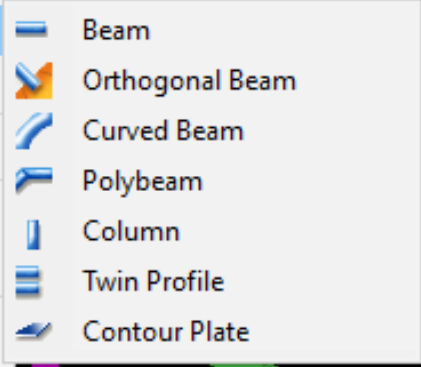
Choose polybeams when NC files are required. Let’s consider the situation where you’ve done all the work using curved beams. But, If the fabricator asks for NC files for those beams, you will not be able to create NC files. You’ll have to rework the entire model.
To eliminate this kind of rework, we suggest you model the curved beams using Polybeam option in TEKLA.
Summary: “the DSTV standard does not support curved beams, so Tekla Structures does not create NC files for curved beams. Use polybeams instead of curved beams”